
On your website
A tiny WordPress add-on checks in on a schedule. It tells WP Pulse your site answered and shares straightforward hints about updates, safety, and overall health — without you touching technical menus.
WordPress · without the dashboard
WP Pulse is an iPhone app for business owners who use WordPress. Someone technical installs a small add-on once; you get calm, plain-English updates on uptime, safety, and anything waiting for attention — no WordPress password for your everyday check-ins.
Clarity first — not another complicated dashboard.
How it fits together
After a short setup on your website, WP Pulse works in the background. When you want answers, you open one app — not a maze of browser tabs or a password you last used six months ago.
A tiny WordPress add-on checks in on a schedule. It tells WP Pulse your site answered and shares straightforward hints about updates, safety, and overall health — without you touching technical menus.
Status is stored securely so your phone always reflects something recent — whether you run one shop or a small portfolio of brands.
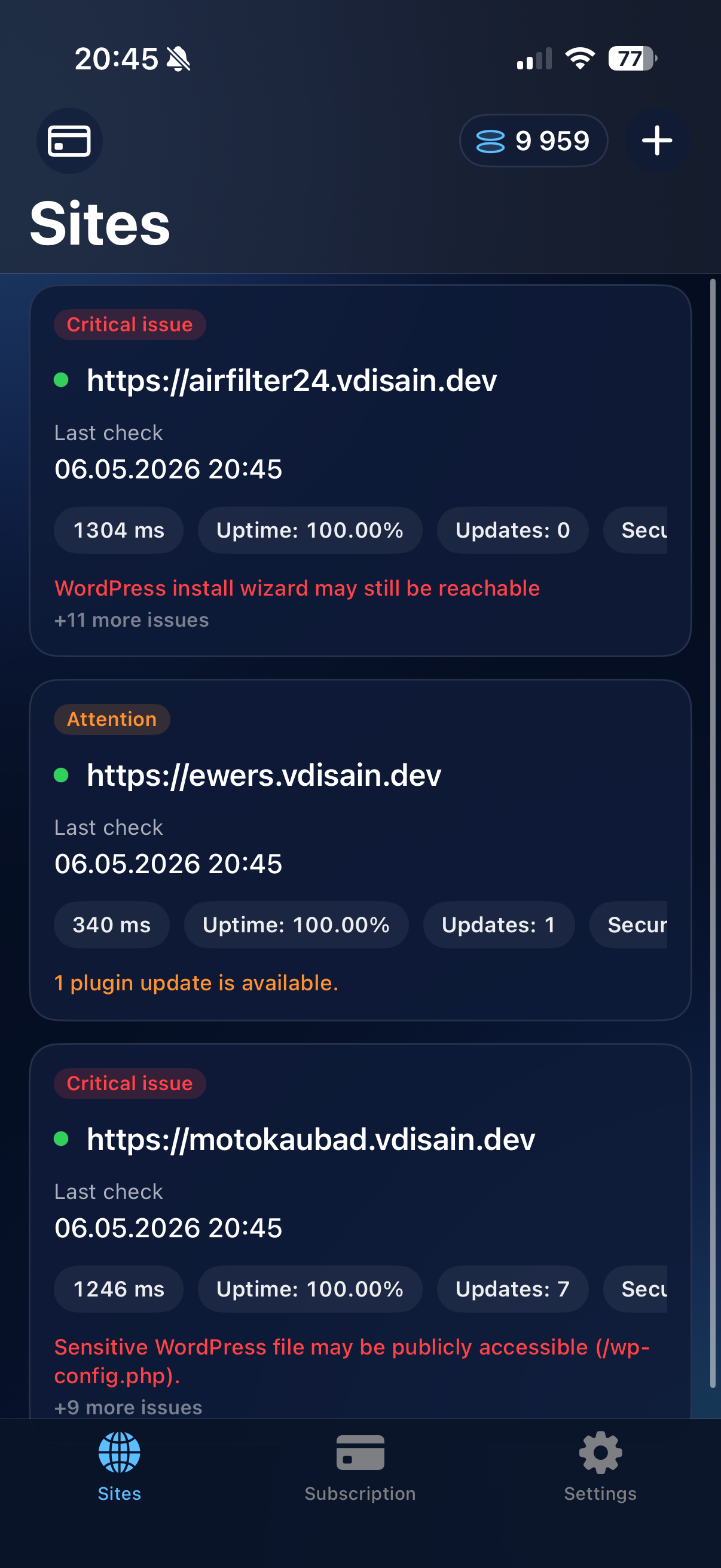
Green means breathe easy; amber means worth a look. Tap when it matters, upgrade when you add more sites. Short sentences — never a lecture.
Who it’s for
Same product, three perspectives. WP Pulse stays plain on the surface so everyone knows their role.
Open one app when you want reassurance. Green means carry on; amber means loop in help — without memorizing WordPress menus.
Install the official add-on once, pair once, then hand the owner calm visibility. Fewer “is our site OK?” interruptions.
Standard WordPress extension workflow — downloadable from wppulse.ee. No mystery binaries; updates stay predictable.
Inside the app
Every line is written so you know what to do next: fix it, ignore it, or forward it to whoever helps with your site.
Why the app wins
WordPress admin is for real work at a keyboard — editing pages, plugins, settings. It was never meant to be your five-second “everything fine?” habit from a phone. WP Pulse sits on your home screen so you get a plain answer without pinching through menus in mobile Safari or digging up passwords again.
From your phone
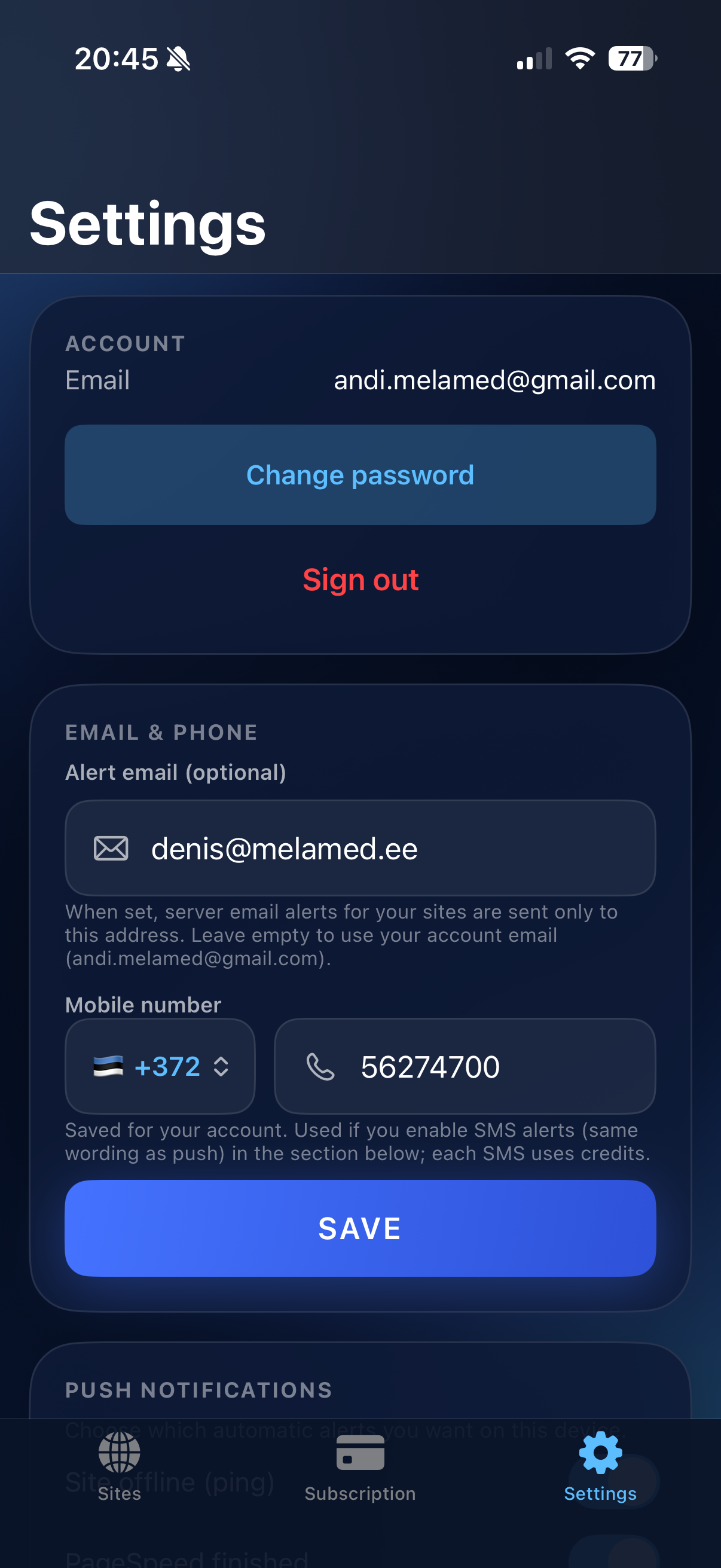
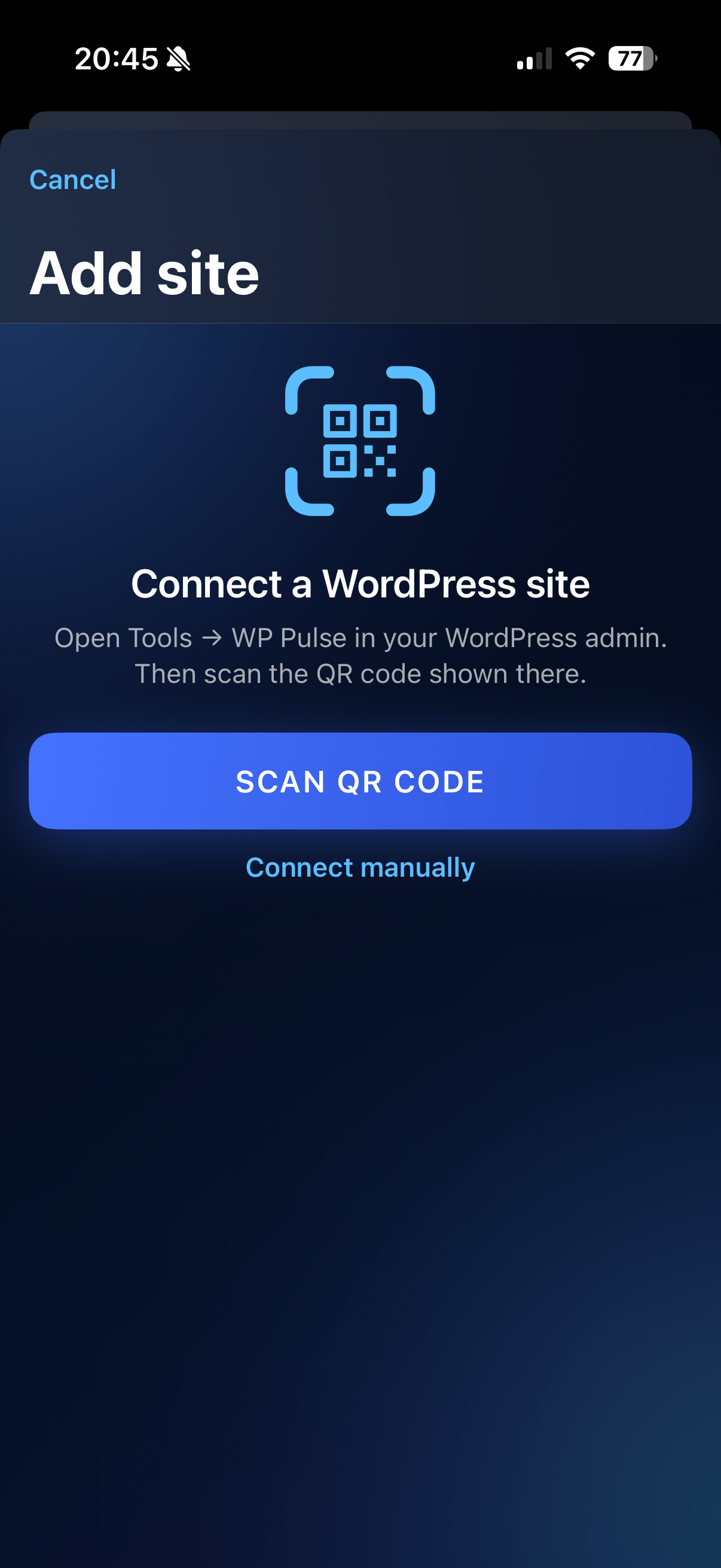
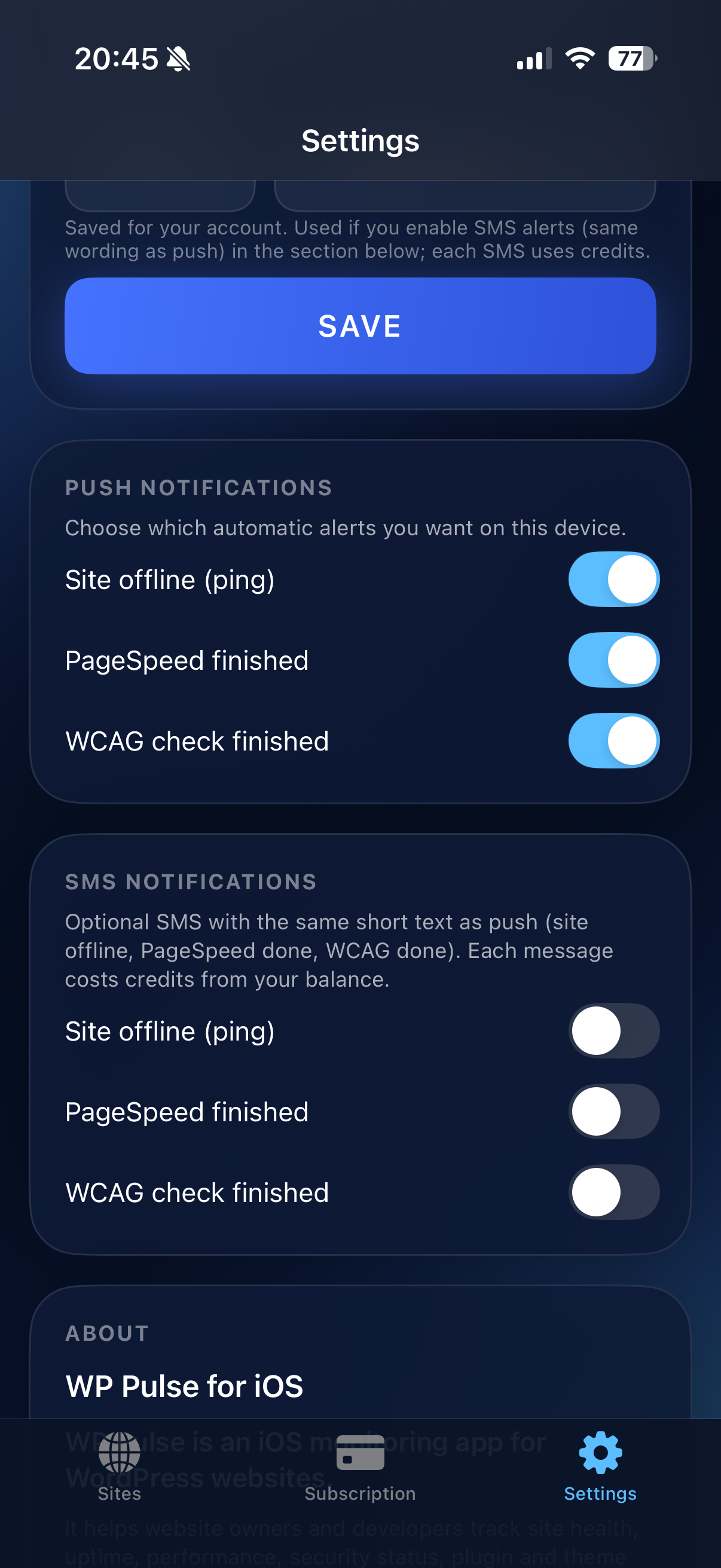
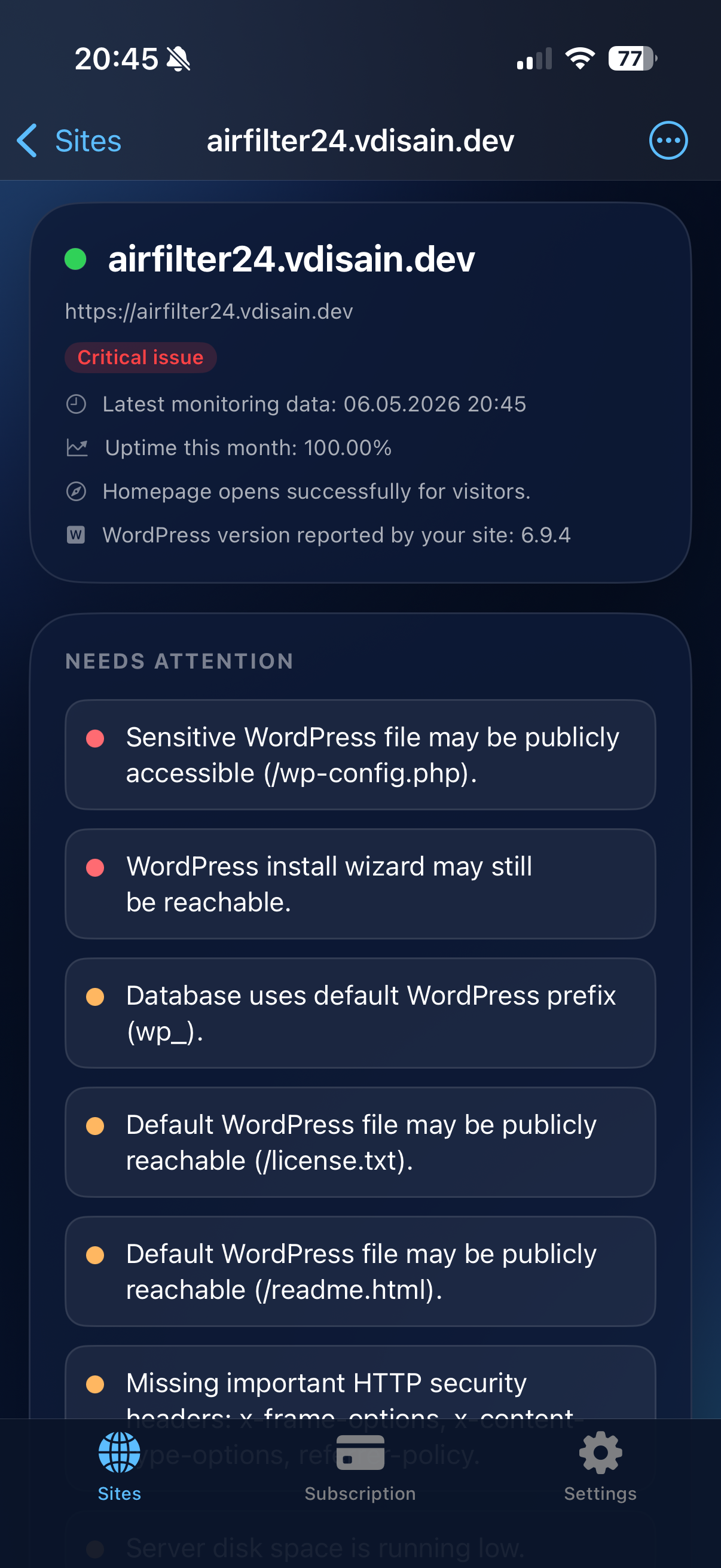
Real captures from a real device — tall frames, straight from an iPhone.
Getting started
You’ll open WP Pulse whenever you’re curious. Whoever manages your website only steps in at the beginning — or when you add another site.
Create your account on your iPhone and enter each website address. WP Pulse hands you simple instructions to send to your developer, agency, or hosting support.
They download the official file from this website and install it like any normal WordPress extension. Pairing can be as easy as scanning a code — quick and drama-free.
Peace of mind moves to your home screen. Open WP Pulse when you want reassurance; save WordPress for real content and design work.
Trust
WP Pulse is built around straightforward signals — not remote control of your website.
Questions
No fuss — the things people ask before they download.
Day to day, no. You only need the iPhone app. Someone who knows WordPress installs the add-on once (often your developer or host). After that, checking in is as simple as opening WP Pulse.
Only when you actually want to change content, design, or settings. For “is everything OK?” moments, WP Pulse is enough — that was the whole point.
Your site talks to WP Pulse over an encrypted connection. We focus on status and health signals — not running your website for you. Use strong passwords on both WordPress and WP Pulse like you would anywhere else online.
The iPhone app uses subscription plans based on how many sites you watch — you’ll see current prices inside the App Store when we’re live there. The WordPress add-on itself is a free download from this site.
Today WP Pulse is built around the iPhone experience. A technical teammate can still use the same service from a browser dashboard if your organisation sets that up — but this website speaks to owners who want the app first.
Here’s the official WP Pulse Client package for WordPress. Your iPhone app and your website both use wppulse.ee — one consistent, secure place.